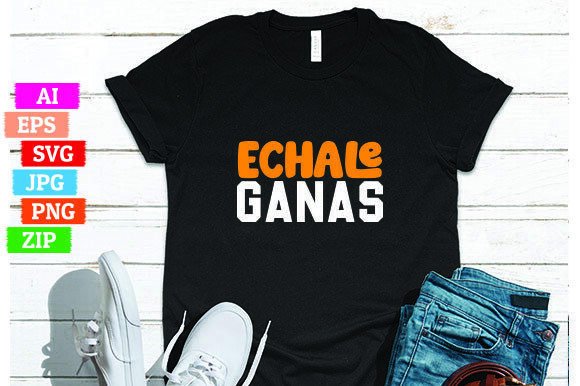
Echale Ganas: A Smart Choice for Print-on-Demand Creators — If You Know What to Look For
“Echale Ganas” isn’t just a phrase—it’s energy, intention, and cultural resonance. Translating literally to “give it your all” or “go for it,” this Spanish expression carries motivational weight that translates powerfully onto apparel. That’s why Echale Ganas designs are gaining steady traction among print-on-demand (POD) sellers, especially those targeting bilingual audiences, Latinx communities, educators, fitness coaches, and small business owners building authentic, values-driven brands.
But here’s what many overlook: not every Echale Ganas design delivers the same value—or even works reliably across platforms. Some buyers assume “editable file included” means plug-and-play readiness. Others download low-res PNGs without checking scalability, only to discover pixelation on oversized hoodies. Still others open an AI file in outdated software and assume the design is broken—when really, it’s just a version mismatch.
Common Missteps—and Why They Cost Time, Money, or Credibility
Mistake #1: Assuming “Editable” Means “Universal.” The listing promises editable AI, SVG, EPS, and PNG files—but those formats serve different purposes and require compatible tools. Adobe Illustrator handles AI and EPS natively; free vector editors like Inkscape work well with SVG but may struggle with complex AI layers; and EPS files older than CS6 often lack transparency support. Using the wrong tool can flatten layers, shift colors, or drop text outlines entirely.
Example: A freelance designer used a free online converter to open the EPS file in Canva, then uploaded the result to Redbubble. The bold “Ganas” lettering lost its custom kerning and thin stroke weight—making the shirt look generic instead of distinctive. The fix? Open the SVG in a modern browser or Figma first, then export a clean raster version at 300 DPI for POD uploads.
Mistake #2: Skipping the Transparency Check. Even if the PNG says “transparent,” not all transparent PNGs are created equal. Some include faint white halos around letters (especially after quick background removal), while others embed subtle JPEG compression artifacts invisible on screen but visible when printed on dark fabric. That halo becomes glaring on navy tees or black sweatshirts.
You don’t need expensive software to verify this: zoom in at 400% in any image viewer and trace the edge of the main text. Clean edges = reliable transparency. Fuzzy or gray-fringed edges = rework needed. The provided transparent PNG in the Echale Ganas ZIP folder *should* pass this test—but always validate before bulk uploading.
Mistake #3: Ignoring Color Mode and Intent. This design was likely built in RGB for digital use—but most professional garment printers convert submissions to CMYK automatically. If the original red in “Echale” leans magenta-heavy in RGB, it may dull into burgundy on cotton. That’s not a flaw in the file—it’s a color-space reality. Always soft-proof in CMYK (even using free tools like Photopea) if you’re printing through services like Printful or Gooten.
What to Verify Before You Download—or List
Before extracting that ZIP folder, take 90 seconds to confirm these four things:
- File integrity: Right-click the ZIP and check its size—should be between 5–12 MB. Anything under 2 MB likely omits the vector files or uses placeholder graphics.
- Layer organization: Open the AI or SVG in a vector editor. Text should be outlined *or* paired with a clear font note (e.g., “Montserrat Bold”). If live text appears without a font guide, you’ll need to substitute carefully to preserve spacing and impact.
- Resolution independence: Scale the SVG to 2000% in your browser. No blurring? Good. Try the same with the PNG—if it stays crisp, it’s likely saved at true high resolution (not upscaled).
- Usage clarity: Re-read the license. Does it permit commercial POD use *without* attribution? Does it restrict platform types (e.g., “not for Amazon Merch”)? Legitimate Echale Ganas bundles include clear, plain-English terms—not just “for personal use.”
Better Practices for Real Results
Start with context—not aesthetics. Ask: Who wears this? Where do they wear it? What feeling should it spark? An Echale Ganas tee worn by a high school track coach communicates grit and encouragement. On a café apron? It signals warmth and hustle. The same design reads differently depending on typography pairing, garment color, and placement. Try placing it slightly off-center on a heather grey crewneck—not dead-center on white.
Test before scaling. Upload the transparent PNG to your POD dashboard and preview it on three mockups: light fabric, dark fabric, and a textured option (like triblend). Does the contrast hold? Does the phrase remain legible at 8 inches wide? If “Ganas” disappears into the fabric weave, bump the stroke width by 0.5 pt in the vector file—or add a subtle shadow in your POD editor.
And remember: great design amplifies voice—but consistency builds trust. If you’re launching a line of motivational Spanish phrases, ensure “Echale Ganas” aligns stylistically with “Sí Se Puede” or “Más Fuerte Cada Día.” Compare weights, x-heights, and spacing. Use the included AI file to extract and match typographic rhythm across designs.
A Final Note on Authenticity
“Echale Ganas” resonates because it’s lived—not just printed. When customers see it on a well-made tee, they’re not buying ink on cotton. They’re connecting with effort, resilience, and cultural pride. That meaning gets diluted when files are misused, poorly adapted, or stripped of their intentional details.
You don’t need advanced skills to honor that intent—just attention to format purpose, careful previewing, and respect for how language and design interact. The Echale Ganas bundle gives you professional-grade assets. Your role is to apply them thoughtfully—not just quickly.
So open that ZIP folder. Check the SVG first. Preview the transparency. Adjust for your base color. Then hit upload—not as a step in a process, but as a deliberate act of alignment.