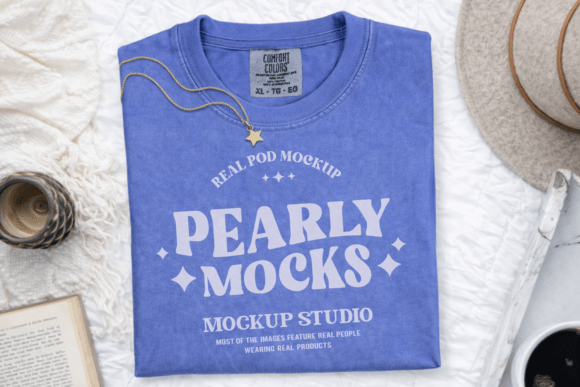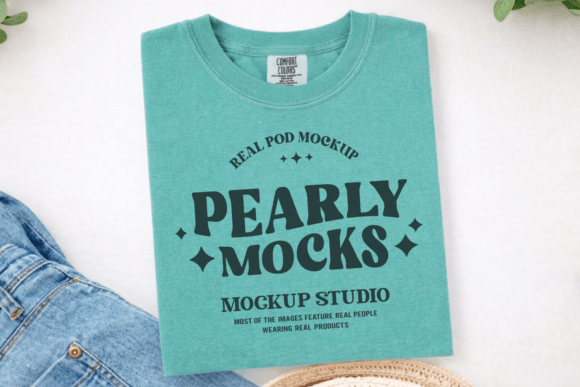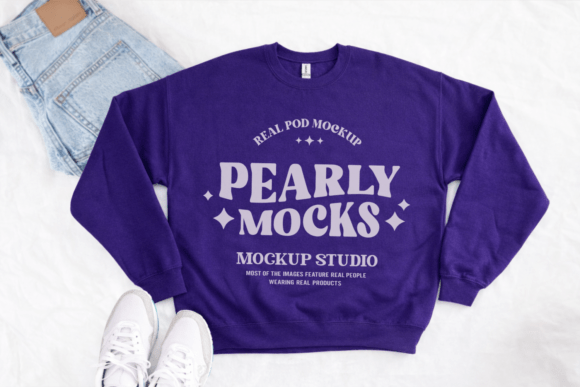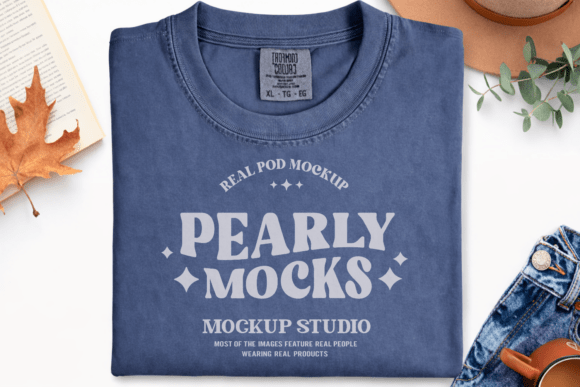
CC1717 Denim Flat Lay T-shirt Mockup
If you’ve ever spent 20 minutes adjusting shadows, tweaking fabric folds, or second-guessing lighting on a product photo—only to realize your t-shirt design still looks flat or disconnected from real life—you’re not alone. The CC1717 Denim Flat Lay T-shirt Mockup solves that exact problem. It’s not just another template—it’s a thoughtfully styled, ready-to-use digital canvas designed for clarity, consistency, and speed.
This mockup features a relaxed, unisex oversized t-shirt laid flat on soft denim fabric, shot in natural light with subtle texture and gentle shadows. No harsh studio glare. No distracting props. Just clean, grounded realism that makes your artwork the undeniable focus. Whether you're uploading to Etsy, prepping for a client pitch, or building a cohesive Instagram feed, this flat lay gives your designs context—without competing with them.
Where This Mockup Fits Into Real Creative Workflows
Think about the last time you launched a new design: maybe it was a quote tee for your small yoga studio, a limited-run band shirt for a local gig, or a custom illustration for a friend’s birthday. You had the art. You had the idea. But then came the “how do I show it?” moment. That’s where the Comfort Colors 1717 Flat Lay T-shirt Mockup becomes part of your daily toolkit—not a one-off download, but a repeatable step in your process.
A freelance graphic designer uses it to send three quick mockup variations to a client before finalizing colors. A teacher prints student-designed tees for a school fundraiser and drops each concept into the CC1717 mockup to preview how it’ll look on fabric. A print-on-demand seller batches 15 new listings in under an hour—dragging each design into the same consistent layout so their shop feels professional, not piecemeal.
Why “Flat Lay” Works When Other Mockups Don’t
Not all t-shirt mockups serve the same purpose. A 3D angled view might look dynamic, but it can distort proportions or hide parts of your artwork. A model shot adds personality—but also limits versatility (what if your audience skews older, or prefers gender-neutral presentation?). The Flat Lay T Shirt Mockup removes guesswork. You see exactly how your design sits across the chest, how it scales relative to seams and hems, and whether spacing feels balanced—all without needing to edit layers or adjust perspective.
It’s especially useful for minimalist, nature-inspired, or typography-forward work. If your style leans into calm palettes, hand-drawn elements, or quiet messaging—like “breathe,” botanical line art, or soft-gradient lettering—the denim background and relaxed drape of the Oversized T Shirt Mockup reinforce that tone instead of clashing with it.
Who Benefits—and How They Use It Differently
- Small business owners use it to refresh seasonal listings fast—no reshoots, no delays. One coffee roaster swaps out their summer design every June, drops it into the Unisex T Shirt Mockup, and updates banners, email headers, and social posts in under 10 minutes.
- Educators and workshop leaders share the file with students learning branding basics. Because it’s compatible with Canva, Photoshop, and free tools like Photopea, learners at any skill level can practice composition, color harmony, and visual hierarchy without installing heavy software.
- Hobbyists and side-giggers appreciate that it’s a Plain T Shirt Mockup—no logos, no branding, no hidden watermarks. What you add is what shows up. That matters when you’re testing a design idea before committing to a bulk order—or gifting a custom tee to a friend who’d rather see the real thing than a sketch on paper.
- Bloggers and content creators embed these visuals in tutorials (“How I Designed My First Merch Line”) or comparison posts (“Cotton vs. Tri-Blend Tees—Here’s How They Look Flat-Laid”). Consistency across images builds trust—and readers remember how things looked, not just how they were described.
What to Keep in Mind Before You Start
The Comfort Colors Flat Lay Mockup delivers strong results—but like any tool, it works best when matched to realistic expectations. Colors may shift slightly depending on your screen calibration or ambient lighting, especially in the denim backdrop. That’s normal. To keep things accurate, preview your design in grayscale first to check contrast and legibility, then fine-tune saturation only after.
Also, while the file is high-resolution (300 DPI) and fully layered in PSD format, it’s delivered as a single JPG by default—clean, lightweight, and instantly usable in Canva or Google Slides. If you need editable smart object layers (for non-destructive scaling), open it in Photoshop and double-click the layer thumbnail to replace artwork directly. Either way, there’s no waiting for fonts to load or assets to link.
And because it’s built around a real Blank T Shirt Mockup silhouette—not a stretched or stylized vector—the fit feels authentic. You’ll notice the slight drape near the sleeves, the gentle curve of the hem, the way the neckline sits just off-center. Those details don’t shout—but they whisper credibility.
Getting Started Is Literally Two Clicks Away
You don’t need a tutorial, a checklist, or a 45-minute setup. Download the zip. Unzip it. Open the JPG in Canva, Photoshop, Figma, or even Apple Keynote. Drag your design onto the shirt area, scale to fit (most designs land well between 85–95% size), center it, and export. Done.
No plugins. No subscriptions. No learning curve. Just your idea—clear, confident, and ready for the world to see it as you imagined it.
Your designs deserve more than placeholder graphics or blurry phone snaps. They deserve context that supports, not overshadows. They deserve the quiet confidence of a T Shirt Mockup PSD built for real people doing real work—with real deadlines, real audiences, and real standards. The CC1717 Denim Flat Lay T-shirt Mockup isn’t about making things look polished. It’s about helping your ideas land—consistently, clearly, and without friction.