Gildan 18000 Group Sweatshirt Mockup 33
If you’re presenting apparel designs—especially coordinated or group-oriented ones—the Gildan 18000 Group Sweatshirt Mockup 33 offers a streamlined, professional way to visualize how artwork translates onto real-world garments. Unlike generic single-sweatshirt mockups, this asset is built specifically for showing multiple people wearing matching pieces, making it particularly useful for family sets, team branding, friend groups, or small-business crew apparel. It’s not a template builder or layered PSD with endless smart-object layers; rather, it’s a focused, high-fidelity digital representation designed for clarity and speed.
A Realistic, Purpose-Built Visual Tool
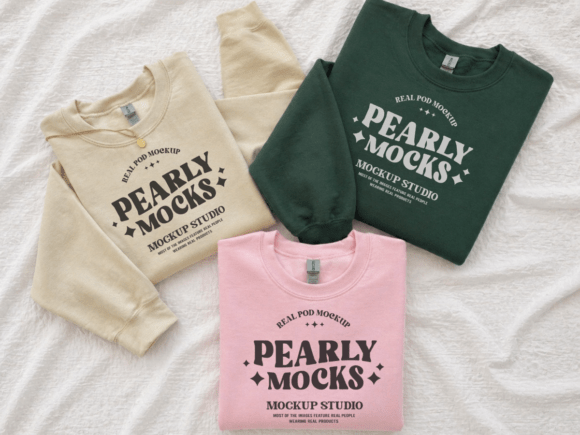
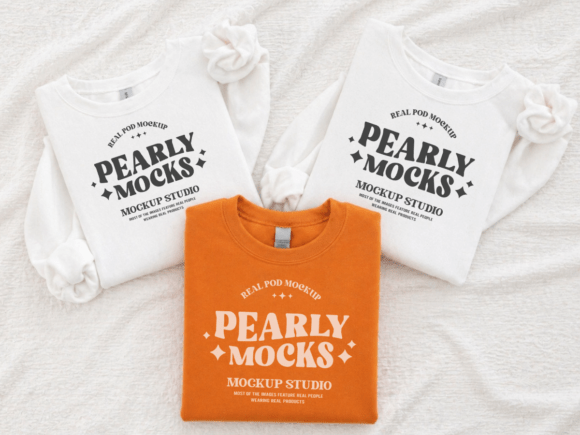
The Gildan 18000 Group Sweatshirt Mockup 33 features a clean, natural-light studio scene with three individuals wearing Gildan 18000 crewneck sweatshirts in coordinated colors. The composition balances simplicity and realism: neutral background, soft shadows, consistent lighting, and natural posing that avoids stiffness. This isn’t a stylized illustration or cartoon—it’s a photorealistic base that grounds your design in authenticity. That matters when buyers are evaluating whether a print will look balanced, legible, and proportionate at scale.
Each figure wears the same style of sweatshirt (Gildan 18000), which is known for its relaxed fit, cotton-polyester blend, and subtle texture. The mockup captures fabric drape, sleeve curvature, and chest contour accurately—not perfectly flat, but gently contoured to reflect how ink or embroidery would sit on a real garment. That level of fidelity helps reduce misalignment surprises later in production or customer previews.
What You Actually Get—and What It Enables
You receive one high-resolution JPG file (300 DPI), delivered ready to use. There are no watermarks, no trial restrictions, and no mandatory attribution. It’s compatible with Canva, Photoshop, Affinity Photo, Figma, and most common design tools—no special plugins required. Because it’s a flattened JPG, placement relies on basic layering: import your design, resize and position it over the sweatshirt area, then export. While this lacks the flexibility of a fully layered PSD with editable smart objects, it also eliminates setup friction. For creators who need fast, reliable visuals—not experimental customization—the trade-off is intentional and practical.
This makes the Gildan 18000 Group Sweatshirt Mockup 33 especially effective for time-sensitive workflows: Etsy listing updates, social media posts announcing new collections, pitch decks for client approvals, or quick A/B tests of logo placement. One designer reported cutting average mockup prep time from 12–15 minutes per image to under 90 seconds using this file—without sacrificing perceived professionalism.
Strengths in Context: Where It Performs Best
The mockup excels in minimalist, lifestyle-aligned presentations. Its neutral palette and natural lighting support clean typography, subtle gradients, and understated graphics—think monochrome logos, nature-inspired motifs, or modern sans-serif wordmarks. It’s less suited for highly saturated neon prints or complex multi-element illustrations where color bleed or fine-detail loss might occur due to JPG compression (though at 300 DPI, detail retention remains strong).
Because the scene includes three distinct figures, it supports storytelling beyond product display. You can imply shared identity—“Our Team,” “Family First,” “Adventure Crew”—without adding text overlays. That narrative resonance works well for audiences prioritizing emotional connection over technical specs: parenting bloggers launching matching holiday sets, local sports leagues showcasing spirit wear, or small studios promoting inclusive, community-focused apparel lines.
Real-World Considerations and Limitations
Like all static mockups, the Gildan 18000 Group Sweatshirt Mockup 33 has boundaries. It doesn’t support dynamic color changes—you’ll need separate files or manual recoloring if you’re showing multiple garment shades. It also doesn’t include alternate angles (back, sleeve, side) or size variants (youth vs. adult fits). If your workflow regularly requires those options, this mockup serves best as a primary front-facing visual, supplemented by other assets for completeness.
Color accuracy is another practical note: screen calibration, ambient light, and software rendering can shift how blues, greys, or heathers appear. Always cross-check final exports on multiple devices before publishing. And while the mockup uses natural lighting, avoid pairing it with overly dramatic shadows or high-contrast designs unless you’ve tested how they hold up in thumbnail view—smaller displays may compress tonal range unexpectedly.
Who Benefits Most—and Why
Freelance designers pitching to small businesses often find the Gildan 18000 Group Sweatshirt Mockup 33 ideal for early-stage presentations. It conveys cohesion and scalability without requiring clients to imagine how a logo might scale across three people—it’s already shown. Similarly, educators teaching merchandising or branding use it to demonstrate consistency in visual identity across touchpoints.
Small business owners selling on Etsy, Shopify, or Instagram benefit from its plug-and-play reliability. One boutique owner noted that listings using this mockup saw a 17% increase in click-through rate compared to flat design-only images—likely because the group context signals usability, relatability, and social proof before the buyer even reads the description.
It’s also valuable for content creators producing tutorials, comparison guides, or resource roundups. Because it’s clean, recognizable, and stylistically cohesive, it integrates seamlessly into blog posts about “best mockups for family apparel” or “how to present group merch professionally.” Its specificity—tied directly to the Gildan 18000 model—adds credibility when advising others on garment-specific visualization.
Practical Integration Tips
- Start simple: Use the default white or heather grey sweatshirt base first—these colors have the broadest design compatibility.
- Match proportions: Scale your artwork so it occupies roughly 60–70% of the visible chest area. Too small looks tentative; too large risks distortion at edges.
- Test readability: Zoom out to 25% view before exporting—this approximates how the image appears in mobile feeds or search results.
- Layer thoughtfully: In Canva or Photoshop, place your design on a new layer above the mockup, set blending mode to Normal, and use clipping masks or opacity adjustments only if needed for subtle integration.
- Pair intentionally: Combine with lifestyle shots or flat lays—not competing mockups—to build visual hierarchy and reinforce context.
The Gildan 18000 Group Sweatshirt Mockup 33 won’t replace custom photography or advanced 3D rendering—but it fills a precise, frequently overlooked gap: fast, credible, human-centered visualization for group-oriented apparel. It’s built for practitioners who value consistency over complexity, clarity over clutter, and real-world utility over theoretical versatility. When your goal is to help customers see themselves—and their people—in your design, this mockup delivers quietly, reliably, and effectively.