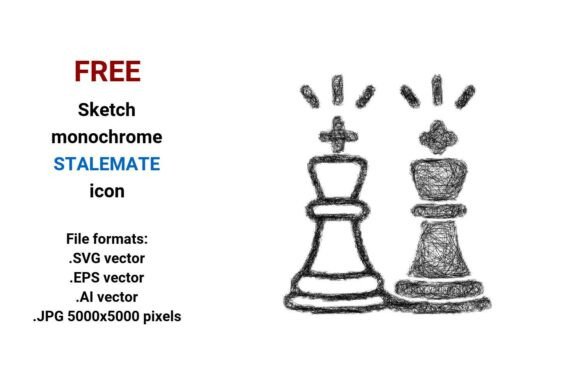
FREE Sketch Stalemate Icon: Scalable, Stylish & Ready for Any Chess UI
Whether you’re designing a mobile chess app, building a tournament website, or crafting educational materials about game strategy, visual clarity matters. A well-chosen icon communicates meaning instantly—especially when it represents something as nuanced as stalemate. That’s where the FREE Sketch Stalemate Icon stands out: not just as decoration, but as a functional, expressive, and technically robust design asset.
Why “Sketch” Style Works So Well for Chess Interfaces
Chess is both ancient and deeply human—a game of logic, intuition, and quiet tension. A rigid, hyper-polished icon can feel cold or overly formal. In contrast, a sketch-style representation introduces warmth, approachability, and subtle personality. The hand-drawn lines, light texture, and organic imperfections in the FREE sketch black and white stalemate icon echo the tactile experience of pencil-on-paper analysis—the kind players do during post-game review or classroom instruction.
This isn’t just aesthetic preference. In UI/UX contexts, sketch icons often perform better for secondary actions—like signaling a draw game or confirming a deadlock. Their informality reduces cognitive load: users instantly recognize intent without mistaking it for a primary navigation element. And because they’re built with intention—not randomness—they maintain visual hierarchy alongside cleaner, bolder interface components.
Four Formats, One Seamless Workflow
The FREE Sketch Stalemate Icon comes in four production-ready formats: .SVG vector, .EPS vector, .AI vector, and .JPG (5000×5000 pixels). Each serves a distinct role—and together, they eliminate format-related friction across teams and tools.
- .SVG vector: Ideal for web use—lightweight, responsive, and natively supported in all modern browsers. Easily styled with CSS (color, stroke width, opacity), animated with JavaScript, or embedded directly into HTML. Perfect for buttons labeled “Offer Draw” or “Confirm Stalemate.”
- .EPS vector: The go-to for print designers and legacy Adobe workflows. Maintains crisp fidelity in brochures, posters, or physical board game packaging—even at billboard scale.
- .AI vector: Native Illustrator compatibility means full editability—adjust anchor points, recolor paths, or integrate seamlessly into larger icon systems or style guides.
- .JPG (5000×5000 px): High-res raster fallback for platforms that don’t support vectors (certain CMS editors, email clients, or legacy publishing tools). At this resolution, it scales cleanly down to thumbnail size or up for retina displays without visible pixelation.
No more last-minute conversions or quality compromises. Whether your developer uses Figma, your designer works in Affinity Designer, and your marketing team drops assets into Canva—you’re covered.
What Makes This a True Vector Stalemate Icon?
A vector image isn’t just another file type—it’s a fundamentally different way of representing graphics. Instead of pixels, it uses mathematical equations to define points, lines, curves, and fills. That means:
- No loss of sharpness—whether scaled to 24px for a mobile button or 2400px for an exhibition banner.
- Infinitely editable paths—change stroke weight, add dashed effects, or convert outlines to filled shapes in seconds.
- Small file sizes (especially SVG), improving page load speed and reducing bandwidth usage—critical for chess apps used globally on varied connections.
This vector stalemate icon was built with clean geometry and intentional negative space—no unnecessary anchor points, no embedded rasters, no hidden layers. It’s optimized for performance *and* flexibility. You won’t need to “clean up” the file before handing it off to engineering.
Real-World Uses Beyond the Obvious
Yes, it fits perfectly on a “Draw Game” button in a chess app—but its utility extends further:
- Educational platforms: Annotate interactive lessons about endgame theory. Pair the sketch stalemate icon with tooltips explaining why a position qualifies as stalemate vs. checkmate.
- Tournament dashboards: Use it as a status indicator next to player names—replacing text-heavy labels like “Game Ended in Draw” with intuitive visual shorthand.
- Printed strategy guides: Drop the .EPS version into InDesign layouts. Its minimal outline sketch icon style complements hand-drawn diagrams and annotated board images.
- UI kits & design systems: Include it in your internal library as a sketch button variant—consistent with other informal actions like “Suggest Move” or “Request Review.”
- Social media assets: Export the JPG at custom sizes for Instagram carousels or Twitter threads explaining famous stalemate puzzles—its hand drawn character encourages engagement and shares.
Design Philosophy: Minimal, Not Minimalist
This isn’t stripped-down abstraction for its own sake. Every line in the FREE sketch stalemate icon serves purpose:
- The dual king silhouettes—slightly offset, facing each other—imply mutual immobility, not confrontation.
- The faint crosshatch or pencil grain (subtle, never distracting) reinforces the sketched icon identity without compromising scalability.
- No color dependency: the black-and-white foundation ensures readability on any background—dark mode, light mode, textured overlays.
- Generous padding and consistent stroke weight make it legible even at 16px—vital for accessibility and small-screen interfaces.
It’s minimal sketch icon done right: simple enough to scan in under half a second, rich enough to carry meaning across cultures and age groups.
How to Integrate It Without Overthinking
You don’t need advanced vector skills to use this. Here’s how real teams get value fast:
- For developers: Drop the SVG into your component library. Add a
titletag for screen readers (“Stalemate — game ends in draw”) and usefill="currentColor"to inherit text color—ensuring automatic dark-mode compatibility. - For designers: Import the .AI file into your icon grid. Align it with your existing sketch ui element set—match stroke weights, corner radii, or baseline spacing in one click.
- For educators & content creators: Use the JPG in Google Slides or PowerPoint. Resize freely. Add a short caption: “Stalemate = No legal moves + king not in check.” Done.
There’s zero learning curve. No licensing surprises. No attribution required. Just a clean, expressive, production-ready stalemate button—free to download, free to adapt, free to ship.
Final Thought: Icons Are Silent Team Members
In digital chess experiences, every micro-interaction counts. A laggy animation, a confusing label, or a blurry icon chips away at trust and flow. The FREE Sketch Stalemate Icon doesn’t shout—it clarifies. It doesn’t decorate—it enables. And because it’s built as a true scalable, outline sketch icon, it grows with your project: from prototype to production, from web to print, from solo dev to enterprise team.
If you’ve ever spent time tweaking an icon’s anchor points, converting formats mid-sprint, or explaining “deadlock” vs. “stalemate” in a tooltip—this asset pays back that time, instantly. It’s not just another stalemate icon. It’s a small, thoughtful tool for people who care about how games—and interfaces—feel.